
Pixel art videos, generated with AI
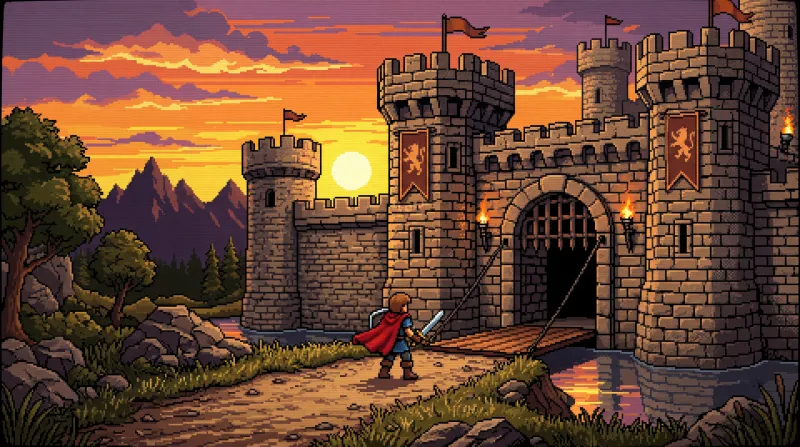
Nineties videogame pixel art: chunky sprites, a short 16-bit palette, clean dithering and side-scroller framing.
What it looks like
- Big visible pixels: the low resolution is the style.
- A short palette, straight out of a 16-bit console.
- Crisp dithering instead of gradients.
- Side-scroller framing, like a level.
What videos it suits
- Videos about games, retro culture and nineties nostalgia.
- Step-by-step explainers: each scene reads like a screen.
- Short funny stories, where detail is not the point.
You write the scene; Studio handles the style
The style is never named in the script. Each line describes what is seen, and this is how one is written:
A tiny knight with a sword runs through a forest of blocky trees as night falls.
With this style, Studio suggests the Echo voice (a deep, calm male voice). You can swap it from the editor for any of the six, and use a different one on each line.
What to watch out for
Faces at this pixel size barely have an expression: a close-up ends up as two eyes and a mouth. It works better with full-body shots and scenes where the action carries the meaning, not the expression.
How it is done, step by step
-
Pick the style before generating
When you create a video, Kuak Studio shows a gallery of 58 video templates: nine formats of its own and the 49 visual styles. You pick one and it applies to every scene in the video.
-
Write the script, or ask for one
Each line of the script is a scene. That is where you describe what is seen — who is in it, where, and what happens — never the style: the template already handles that.
-
Studio generates voice, images and captions
The voice is generated line by line and the images scene by scene, all in the same style. The captions come from the voice itself, so they stay in sync.
-
You finish it in the editor
Change a sentence, regenerate only the scene that does not convince you, move the text, add music and export. The editor runs inside your browser and there is nothing to install.
- The style is picked, not written. Kuak Studio applies it to every image in the video; in the script you only describe the scene.
- Images come out with no text inside, on purpose: AI draws warped letters in the wrong language. Titles and captions go on editor layers, where they read properly and can be fixed.
- Each scene is an image the editor gives camera movement to. It is not frame-by-frame animation, and saying so up front avoids expecting something else.
Frequently asked questions
Is the video pixelated, or only the images?
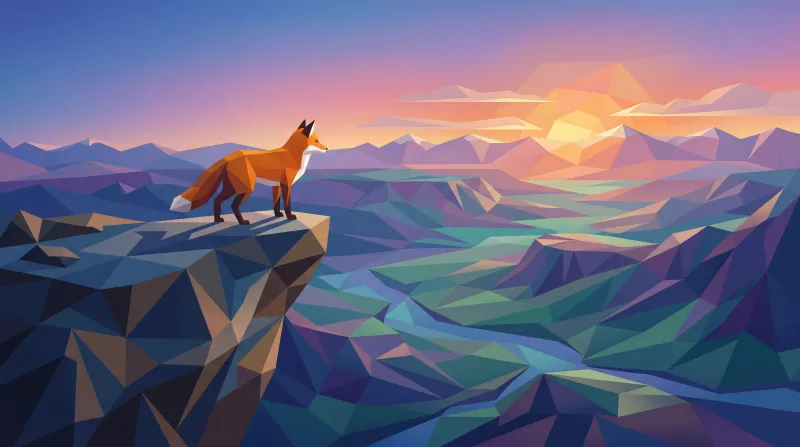
How is it different from Low poly?
Can I use a videogame font for the captions?

Start on the free plan
Sign in with Google and start on the free plan. No card.